Living with disability can involve a ridiculous amount of admin.
Appointments. Emails. Support workers. Service agreements. Funding periods. Reports. Rosters. Assessments. Provider invoices. Forms you swear you already filled out. Phone calls you meant to make three Tuesdays ago.
And that’s before we even get to the ordinary business of actually living your life.
So we’re big fans of anything that makes things simpler, more accessible or less mentally exhausting.
Some of the best disability and NDIS tools aren’t complicated systems or expensive pieces of technology. Sometimes they’re a calendar reminder. A Notes folder. A visual timer. A pre-written email. A pair of headphones. Or a system that means you don’t have to keep the entire contents of your NDIS plan stored in your head.
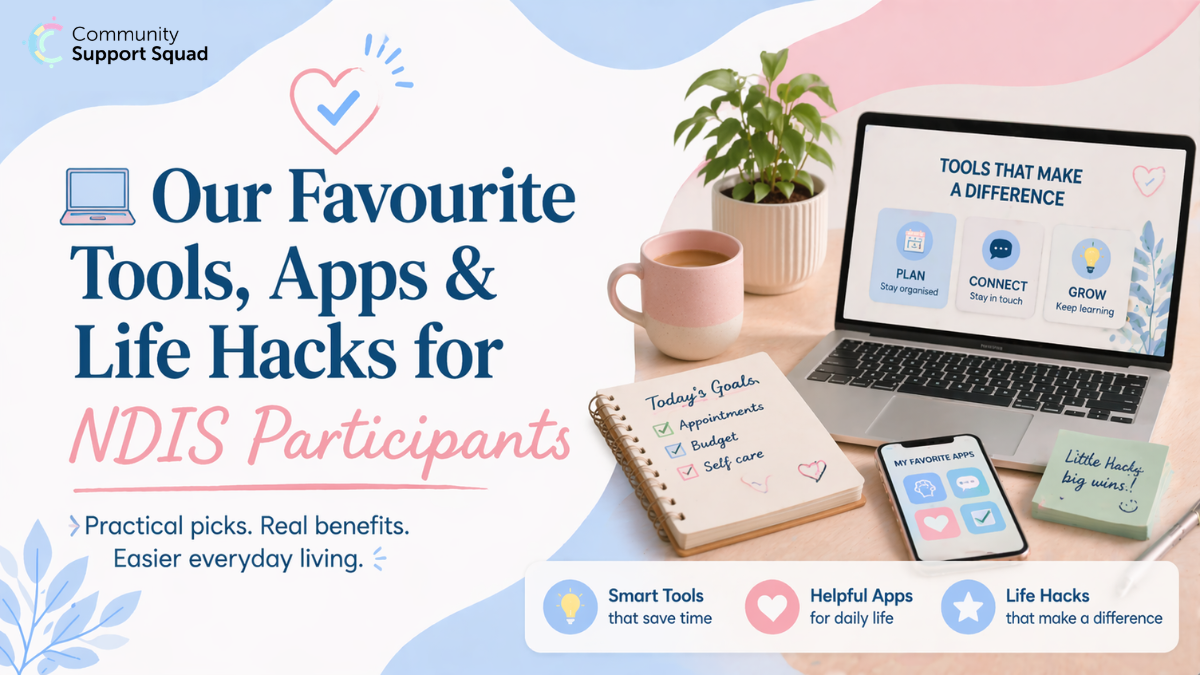
Here are some of our favourite NDIS tools and apps, practical strategies and everyday life hacks.
Quick note: none of the apps or products mentioned here are sponsored recommendations. An app, subscription or device isn’t automatically something the NDIS will fund simply because it’s useful. NDIS funding rules still apply to purchases made using your plan.
1. Put Your Brain Somewhere Other Than Your Brain
If you’re trying to remember appointments, medication, support-worker shifts, tasks, NDIS deadlines and what you were supposed to ask your OT next Thursday, you’re asking your brain to do a lot.
Our first hack is simple: stop relying on memory for things that can live somewhere else.
- your phone calendar
- recurring reminders
- a whiteboard
- a visual schedule
- a paper planner
- a notes app
- alarms
- a shared family calendar
- a task-management app
There isn’t one “best” system. The best system is the one you’ll actually use.
Try the two-reminder rule
For important appointments, try setting two reminders.
The first might be the day before: OT tomorrow at 11:00 am — remember the report.
Then another closer to the appointment: Leave for OT in 30 minutes.
The first helps you prepare. The second helps you transition into actually doing it.
For people who experience executive-function difficulties, cognitive disability, fatigue or fluctuating mental health, separating remembering something from starting something can make a surprisingly big difference.
2. Make Your Calendar Do More of the Work
Your calendar doesn’t just have to contain appointments. You can use it to externalise recurring NDIS tasks as well.
- 1st of every month: Check NDIS budget
- Every Sunday: Check support-worker roster
- Every three months: Review service bookings
- Three months before plan end: Start reviewing evidence
- Day before therapy: Write down anything you want to discuss
Colour coding can also help if a packed calendar becomes visually overwhelming. You might use different colours for NDIS appointments, medical appointments, support workers, personal activities and important deadlines.
But don’t create an elaborate 14-colour system if maintaining the system becomes another job. Simple beats perfect.
3. Create One NDIS Folder on Your Phone
This is one of the easiest NDIS hacks to implement. Create a folder called NDIS and keep your important NDIS-related apps in it.
You could also create a matching folder in your phone’s files or cloud storage for documents such as:
- your current NDIS plan
- assessments and reports
- service agreements
- important correspondence
- funding information
- provider details
- evidence you’ve collected
- copies of forms you’ve submitted
If you receive an important document by email, save it there instead of trusting yourself to find the email six months later.
Because inevitably, six months later, someone will ask: “Do you happen to have a copy of that report?”
And suddenly you’re searching 4,827 emails for an attachment called Final_Report_UPDATED_v3.pdf.
4. Use Your Phone’s Notes App as an Evidence Diary
You don’t need to wait until a plan reassessment to start thinking about evidence.
Create a note called something like NDIS – Things to Remember. When something significant happens, add a quick entry.
For example: 14 September — couldn’t attend appointment because I couldn’t leave the house. Needed support to cancel it.
Or: 18 September — support worker helped me prepare meals for the week. Without support, meal preparation is difficult to complete consistently.
You’re not trying to write a clinical report. You’re simply creating a contemporaneous record of what everyday life actually looks like.
Later, those little examples can help you remember patterns that can be surprisingly difficult to reconstruct months afterwards.
5. Screenshot Things Before They Disappear Into the Internet
Submitted an online form? Screenshot the confirmation.
Uploaded evidence? Screenshot it. Received an important reference number? Screenshot it. Changed something in an online portal? You guessed it — screenshot it.
Then put important screenshots into your NDIS folder rather than letting them disappear among thousands of other photos.
Screenshots aren’t a replacement for formal records, but they’re a wonderfully simple backup when you’re trying to remember what happened, when it happened and whether something was actually submitted.
6. Track Your NDIS Budget Before It Becomes a Problem
This one matters.
A plan might look like it contains a huge amount of funding when you first receive it. But the more useful question is: How much can I actually spend each week or funding period?
Imagine you have $15,600 available for a particular support over 12 months.
Instead of thinking, “Great — I have $15,600!”, work backwards.
$15,600 ÷ 52 weeks = approximately $300 per week.
Now you have a figure you can actually use when planning supports. You can take this further by accounting for provider rates, travel, irregular appointments and periods where you expect to need more support.
Don’t just monitor the total balance
Depending on your plan structure, funding may need to last for a particular period. That means seeing money sitting in the plan doesn’t necessarily mean you should immediately spend it.
A simple budget tracker can help you see: Funding available → time remaining → expected spending → projected balance.
We’re also building a CSS Budget & Funding Period Tracker for our NDIS Resource Hub specifically to make this easier.
7. Ask for Important Information in Writing
Phone calls have their place. But if you struggle with auditory processing, memory, anxiety, information overload or simply keeping track of complicated conversations, asking for important information in writing can make communication much easier.
Try saying: “Could you please send me an email confirming what we’ve agreed today?”
Or: “I process information better in writing. Could you please email those instructions to me?”
That’s not being difficult. That’s making communication more accessible.
8. Keep a Running List for Appointments
You know that thing where you’ve been waiting three weeks for an appointment, then the appointment starts and suddenly you can’t remember a single thing you wanted to discuss?
Create a note on your phone with the provider’s name. For example: Things to ask OT.
Every time something occurs to you, add it. When the appointment comes around, you already have your agenda.
For particularly important meetings, divide your list into:
- Must discuss
- Would like to discuss
- Can wait
That prevents the least important topic accidentally consuming the first 45 minutes.
We’re also developing a Meeting Preparation Checklist for the CSS Resource Hub for exactly this reason.
9. Use Visual Timers Instead of Constantly Checking the Clock
Time can be surprisingly abstract. If “we need to leave in 20 minutes” means very little to your brain, a visual timer may be easier to process.
A visual timer shows time disappearing rather than expecting you to repeatedly calculate how much time remains.
- getting ready
- household tasks
- screen time
- taking breaks
- transitions
- leaving for appointments
- starting or finishing activities
And sometimes the timer isn’t there to make you work faster. It can simply say: I’m doing this unpleasant task for ten minutes, then I’m allowed to stop.
10. Build a “Leaving the House” Checklist
If getting out the door regularly becomes chaotic, stop rebuilding the process from scratch every time.
- Phone
- Keys
- Wallet
- Medication you ordinarily need to carry
- Water
- Headphones
- Appointment documents
Put the checklist near the door or save it on your phone. You can create similar lists for therapy, work, swimming, overnight stays, hospital visits or your sensory kit.
Checklists aren’t just for remembering items. They reduce the number of decisions you have to make.
11. Make a Portable Sensory or Regulation Kit
If particular environments are difficult, create a small kit of things that help you regulate.
- noise-reducing headphones or earplugs
- sunglasses or a hat
- fidget items
- chewing gum
- a comforting object
- water
- a preferred snack
- communication cards
- something familiar to listen to
Your kit should be based on your own sensory profile and needs, not somebody else’s idea of what a sensory kit is supposed to contain.
Sometimes accessibility is as simple as having the right thing available before you reach the point of overwhelm.
12. Create a “Hard Day” Version of Your Routine
People often design routines based on themselves functioning at 100%.
Then a difficult mental-health day, pain flare, shutdown, fatigue episode or period of overwhelm arrives and suddenly the entire routine becomes impossible.
Instead, create two versions.
Regular day
Shower → get dressed → prepare breakfast → medication → walk dog → appointment.
Hard day
Medication → easy food → essential hygiene → postpone non-essential tasks → use available support.
The hard-day routine isn’t failure. It’s your minimum viable routine.
You can use the same idea for household tasks. If “clean the kitchen” feels impossible, the minimum version might be: put rubbish in the bin and put dishes beside the sink.
Something is often better than nothing.
13. Use Support Workers to Create Systems, Not Just Complete Tasks
A useful support shift doesn’t always have to end with a huge activity completed.
Sometimes the most useful outcome is creating a system that makes future days easier.
- create a weekly visual schedule
- organise paperwork
- set up recurring reminders
- meal prep
- develop a shopping list
- practise public transport
- establish a morning routine
- create an appointment checklist
- organise frequently used items
- trial community activities
The aim should reflect your goals and what you want support with.
14. Put Your Communication Preferences in Writing
You shouldn’t have to explain the same communication needs to every new person.
Create a short document called How I Prefer to Communicate.
- I prefer email rather than phone calls.
- Please give me time to process questions before expecting an answer.
- I find multiple people speaking at once difficult to process.
- Please explain unfamiliar terminology.
- If you’re giving me multiple instructions, please provide them in writing.
- If a meeting is going to change unexpectedly, please let me know beforehand where possible.
You can share it with relevant providers and workers. It’s a small tool that can prevent a lot of unnecessary frustration.
15. Actually Read Your Service Agreements
We know. Thrilling weekend activity.
But service agreements can contain information that becomes very important later, including:
- provider rates
- travel charges
- cancellation policies
- notice periods
- how services will be delivered
- how to raise concerns
- how the agreement can be changed
- how you can end the agreement
Life hack: create a folder called CURRENT SERVICE AGREEMENTS and keep the current agreement for every provider there.
When you need to know whether a provider can charge for something or how much notice you need to give, you know exactly where to look.
16. Use Technology — But Don’t Assume the NDIS Will Pay for It
Technology can be incredibly useful for disability-related needs.
A calendar app might be useful. A smartwatch might be useful. Noise-reducing headphones might be useful.
But there’s an important distinction: useful doesn’t automatically mean NDIS-funded.
NDIS funding criteria still apply, so if you’re unsure whether something can be purchased using your plan, check before spending your NDIS funding.
17. AI Can Be a Tool Too — With Some Important Boundaries
AI tools can sometimes help reduce the cognitive load of everyday admin.
- turn a messy list of thoughts into questions for a meeting
- explain complicated terminology in plain English
- create a packing checklist
- structure a weekly routine
- brainstorm questions to ask a provider
- turn notes into a clearer to-do list
- draft the structure of an email
- summarise information you’ve written yourself
But be thoughtful about privacy.
Before entering medical reports, NDIS plans, identifying information, addresses, participant numbers or other sensitive information into any digital service, understand what information you’re sharing and how that service handles it.
You can often get the same benefit by removing identifying details.
18. Create a “Who Do I Contact?” List
When something goes wrong, that’s usually the worst possible time to start searching through emails for phone numbers.
Create one simple contact list containing the people and services relevant to you, such as your Support Coordinator, Plan Manager, support provider, therapists, GP, emergency contact and other important services.
Keep it somewhere easy to find. You can also create a version for trusted people supporting you so everybody knows who does what.
19. Don’t Build Systems So Complicated That They Become Another Job
A productivity system isn’t helpful if maintaining the productivity system requires three hours every Sunday.
You don’t need seven apps, four spreadsheets, nine colour codes, a 46-page planner and a dashboard that looks like NASA mission control.
Unless, of course, you genuinely love that.
Start with the smallest thing that solves the problem.
- Problem: I forget appointments. Hack: Calendar reminders.
- Problem: I forget what happens between assessments. Hack: Running Notes entry.
- Problem: I don’t know where my funding is going. Hack: Simple budget tracker.
- Problem: Meetings overwhelm me. Hack: Three questions written down beforehand.
Accessibility should reduce effort, not create more of it.
Our Favourite NDIS Hack? Make the System Work for You
There is no prize for navigating disability or the NDIS on hard mode.
If writing something down helps — write it down.
If visual instructions work better than verbal instructions — ask for visual instructions.
If you need reminders — use reminders.
If appointments are easier with someone beside you — consider whether having a trusted person with you would help.
If a five-step routine works better than trying to remember 25 things — use five steps.
The goal isn’t to prove that you can manage everything without tools.
The goal is to create an environment where you can participate in your life with as much choice, control and independence as possible.
And sometimes the smallest hacks make the biggest difference.
More NDIS Tools Are Coming to the CSS Resource Hub
We’re building a growing collection of practical, participant-friendly resources at Community Support Squad to make navigating the NDIS a little less overwhelming.
That includes tools and templates such as our:
- Budget & Funding Period Tracker
- My Support & Evidence Diary
- Service Agreement Generator
- Change in Circumstances Builder
- Know Your NDIS Rights Guide
- Personal Safety & Support Plan
- Meeting Preparation Checklist
- NDIS Jargon Translator
- Participant Handover Builder
Because sometimes you don’t need another 40-page document explaining the NDIS.
You just need something practical that helps you get the thing done.